Best Wireless Microphones for Sony Mirrorless Cameras
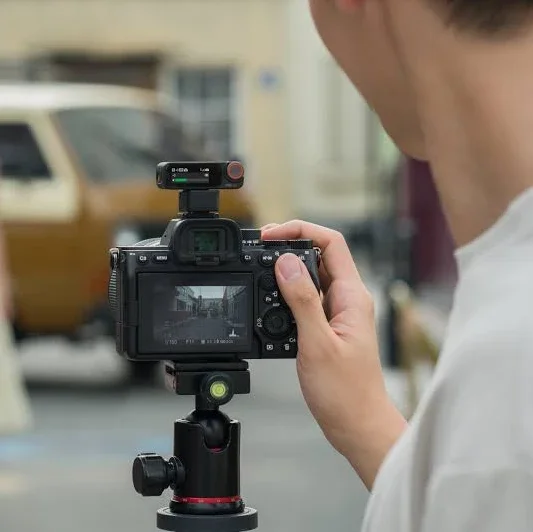
One of the easiest ways to deal with audio in your Sony mirrorless camera workflow is by using a wireless microphone setup that can directly connect to the camera without any cables via the Multi-Interface shoe (Sony’s fancy version of a hot shoe). This allows audio data from the microphone to record directly to the camera’s video file with no cables. While this isn’t essential, it is a nice tidy way to get great sounding audio for interviews and vlogs.
If you are using a Sony mirrorless camera here are a couple of options that I would recommend and why.
First of all, every system listed below offers both wireless connection to the camera so that the audio is part of the video recording, and additionally audio recording at the transmitter end in 32-bit float which is a file type that allows you to really not worry about audio levels (a huge plus if you are a one-person crew).
The additional recording file acts as both a backup recording should wireless interference present itself, and also a high resolution audio file that you can syncronize in post-production to add additional processing like noise reduction, extreme volume adjustments, and other manipulation. This gives a lot of options and protection for content creators, particularly those who work with a limited crew or alone.
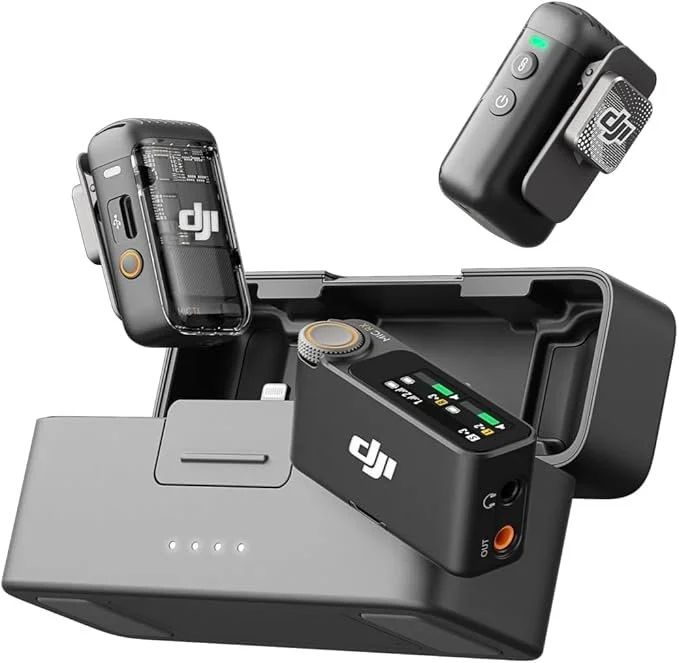
DJI Wireless Mic 2 with Sony MI Shoe Adapter
The DJI Wireless Mic 2 is probably the most ubiqitous wireless mic on the market now and offers several enticing features.
32-bit float audio recording (see core concepts section for more detail)
Lavalier mic compatible with 3.5mm input jack
Easy connection and integration with other DJI products like Osmo Pocket and Action series cameras
Easy Sony wireless connection via the DJI MI Shoe Adapter
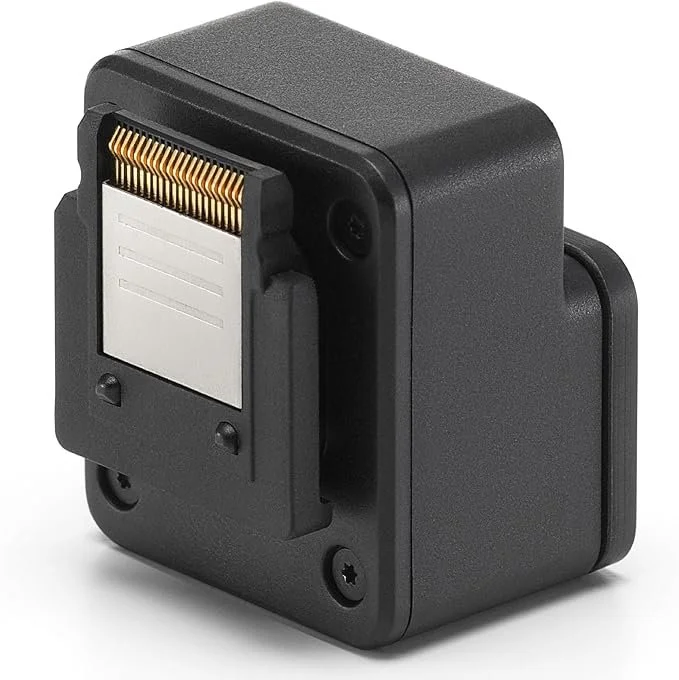
DJI MI Shoe Adapter
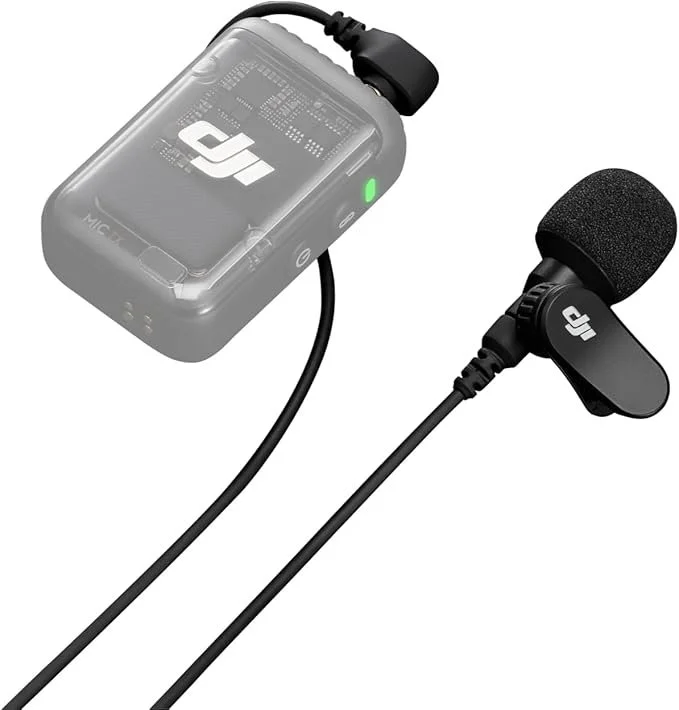
DJI Lavalier Mic
Current Pricing on Amazon
DJI Wireless Mic 2 | Sony MI Shoe Adapter | DJI Lavalier Mic
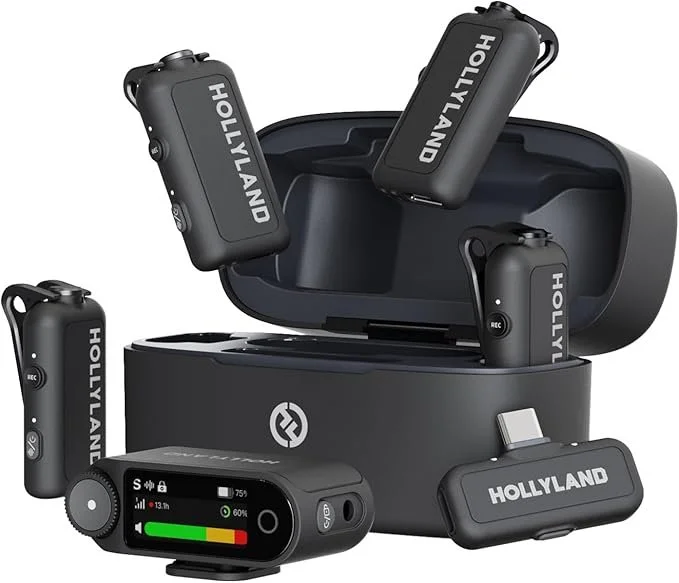
Hollyland Lark Max 2 with Sony Adapter
The Hollyland Lark Max 2 system is an impressive system that provides a lot of bang for the buck. I love the size of the transmitter with built in mic to the point where I might actually start using them in this way for my productions. They are small enough and discreet enough that I don’t find them as distracting as some of the others. The ability to easily monitor your audio recording via wireless ear buds is a really welcome touch.
32-bit float audio recording
Sony wireless connection via Hollyland MI Shoe Adapter
Lavalier mic compatible with 3.5mm input jack adaptor that clips on via USB-C
4x mic audio recording option (The 3rd and fourth mics are handled as by recording to the left and right channel when using a compatible camera)
Wireless earbuds to monitor audio either through the transmitter, or through the transmitter connected to the camera (at the recording point or at the wireless receiver point)
Tiny sized transmitter/mic
Discrete branding
Class leading noise cancellation
Audio based Timecode for easy synchronization in the edit
This offers up a lot of features and is probably my number one pick on the list for most tasks. One negative here are the way it records the 3rd and 4th tracks onto Left and RIght channels which require you to split them in post (the DJI Wireless Mic 3 creates 4 individual mono tracks). I don’t think this is a dealbreaker for me as it still works, but requires a bit of work in the editing system to separate the audio into 4 individual tracks. Also, I would be more likely to synchronize the 32-bit float recordings after the fact and use those, so this is really only an issue in a live environment, or if you prefer to skip that additional step in post-production.
For the amount I actually do this I’ll live with it and take all of the other great features. I’m also not sure about the 3.5mm connection for lav mics. I love the option, but I’m not sure how reliable it is with both an additional USB-C connection and a non-locking 3.5mm jack. I would worry about something coming disconnected. The nice thing is you can actually monitor the audio, so perhaps if you are listening to it while recording this is less of a big deal.
*Please note you cannot monitor audio wirelessly via the optional Bluetooth headphones when using the 4 transmitter recording option.
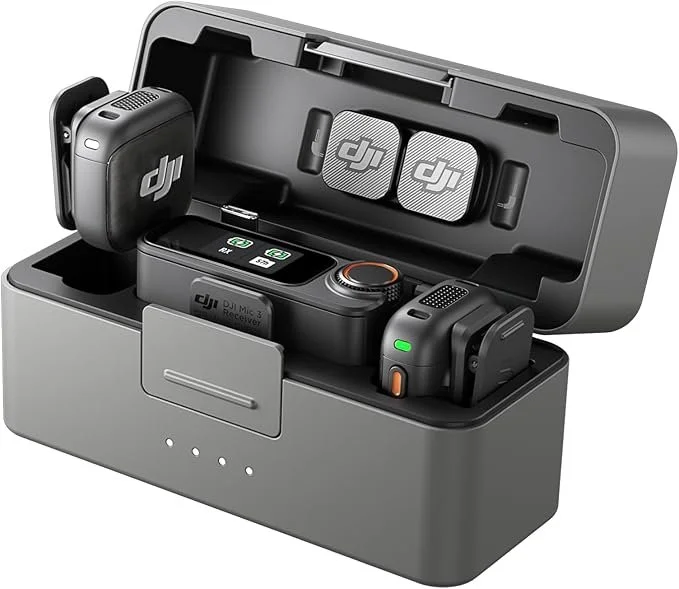
DJI Mic 3
The DJI Mic 3 is a great option for a number of different situations, and to me the only thing that I don’t like is the lack of a 3.5mm connection option. I do see however that video production is changing and many creators will likely never need or use a traditional lavalier mic, so this is a bit future forward.
The DJI Mic 3 is probably the most user friendly system that also allows for up to 4 mics to be recorded, and in this case transmitted as 4 separate audio tracks. I would use these over the Hollyland Lark Max 2 if I needed audio for 4 people in a live to air situation either at an event, or live streaming.
The transmitters/mics are a little chunkier than the Hollyland Lark Max 2, but they are still very small. My only beef other than lack of 3.5mm input jack is the giant DJI logo on everything.
These are a very versatile and easy to use system that integrates well with the Sony mirrorless and cinema cameras that have a Multi-Interface (MI) Shoe, and also the DJI camera ecosystem. I think for most creators, particularly those with less experience in audio recording this might be my number one pic for all around audio recording for content creators.
32-bit float audio recording
Easy connection and integration with other DJI products like Osmo Pocket and Action series cameras
Easy Sony wireless connection via the DJI MI Shoe Adapter
4x mic audio recording option with 4 individual tracks of audio
Wireless earbuds to monitor audio either through the transmitter, or through the transmitter connected to the camera (at the recording point or at the wireless receiver point)
Class leading noise cancellation
Audio based Timecode for easy synchronization in the edit
Current Pricing on Amazon
DJI Mic 3
One of the downsides of this method of recording via the camera’s hot shoe/multi-interface shoe is that it only allows audio from the one device. A more professional recording setup would involve the use of a shotgun microphone either on or off camera as a primary or secondary source of audio. Relying only on one source of audio means that there is no room for error and no backup. However, this post is geared more at the solo content creator in a real life situation, so please understand that this other method exists and will be the topic of a future post here.